
- June 18, 2025
- By Andrew Dunaway
- 3 min read
Azure App Services
Today we are going to be adding another article to our Terraform for Azure series. To see how to setup a basic Azure App Serv...
AZURE SERIES
Introduction
In short
- Application Insights can be added to Azure App Service using Terraform.
- Application Insights provides exception logging, performance metrics, and session counts for monitoring application health.
- The Terraform code is simple and creates a reusable setup that includes monitoring from the start.
Today we are going to be adding another article to our Terraform for Azure series. To see how to setup a basic Azure App Service in Terraform check out our article here. This week we are going to be looking at one of the biggest benefits you can add to your app service, Azure Application Insights.
Application Insights is an application performance management service. There is a ton you can do with Application Insights but some of the highlights are exception/logging, performance metrics, and session counts. For a full list of the possibilities check it out the full run down in the Microsoft documentation.
TERRAFORM CODE
Let’s go – Creating Application Insights with Terraform
So the code to add an Application Insight to your app service is extremely easy. Let’s dump it here and then break it down:
resource "azurerm_application_insights" "api" {
  name                = "example-application_insights"
  location            = azurerm_resource_group.example.location
  resource_group_name = azurerm_resource_group.example.name
  application_type    = "web"
}
For the rest of the terraform you can either look at the article I mentioned earlier, or I’ll post the full terraform at the end of this article. The terraform above is pretty basic but let’s break it down:
- name – this is simply what the name of the application insight instance will be when viewed in Azure
- location – this is the geographic location where we want the instance to be located. We are just piggy backing on the same one defined for our azurerm_resource_group
- resource_group_name – this will be the name of the resource group. We covered this in the last article, or you can see the definition at the end of this article, we just reference it here.
- application_type – there are a number of valid application types, we are doing a web service. To see the full list check out the terraform documentation for azurerm_application_insights.
DEPLOYMENT
Running the Terraform
Now we simply need to run the terraform with the addition above. To get the full run down on how to execute Terraform for Azure check out our first article here. Running a terraform plan should show the following:
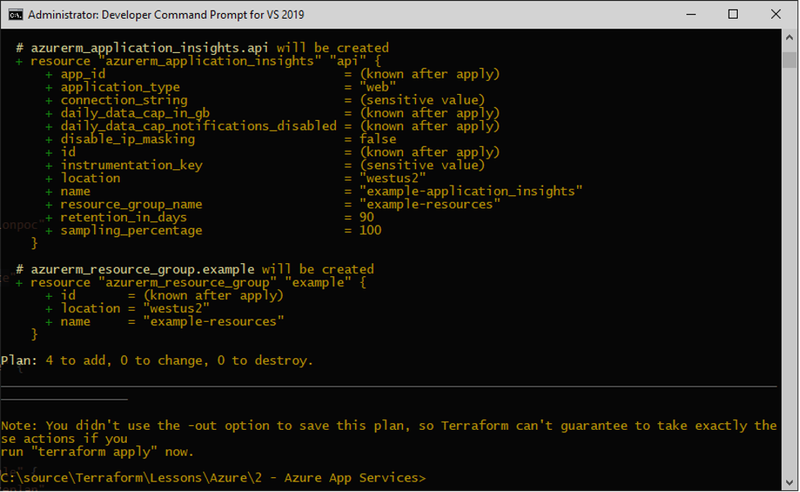
Developer Command Prompt
If all looks well, go ahead and run a terraform apply. Once that is done, we can go over to the Azure Portal and see our new Application Insight. You should be able to type Application insight into the search bar, and see the new name in the list of available instances:
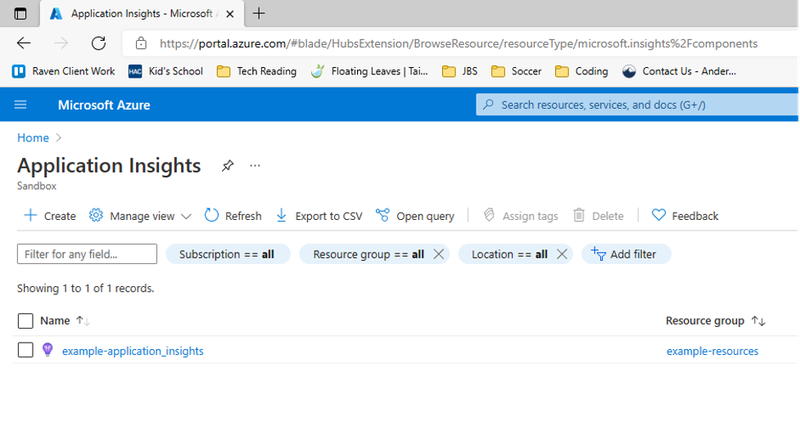
Application Insights
It’s really that simple! Now that we have it, we can use this same code to deploy the same setup multiple times. We will always have Application Insights included to leverage its logging, exceptions, and performance statistics. We highly recommend everyone take a look at the Microsoft documentation on Application Insights. It deserves an article or blog of its own.
We still have only scratched the surface of what we can do with Terraform. Logging is an important piece that we want to make sure is baked in at the beginning, but we still have only scratched the surface of what we can do with Terraform. Next we hope to dive into setting up multiple environments, and start looking at some automated deployment options to tie everything together. Expect more to come!
KEEP READING
Related Resources

Case Study
Automating 30,000 Daily Records for a Regional Bank
An AWS Lambda and Python pipeline now runs the transfer daily with no manual work, delivered in just under four months.
Read the regional bank case study
Case Study
Medical Record Extraction for a Healthcare Technology Company
Amazon Bedrock models and AWS Lambda now extract the data into a standard format, with less manual work and more accurate, timely reports.
Read the healthcare technology case study
Case Study
A GenAI Knowledge Base for a Building Materials Manufacturer
Employees ask questions in plain language and get answers almost instantly, from a knowledge base built on Amazon Bedrock and OpenSearch.
Read the building materials case study
